How do I register?
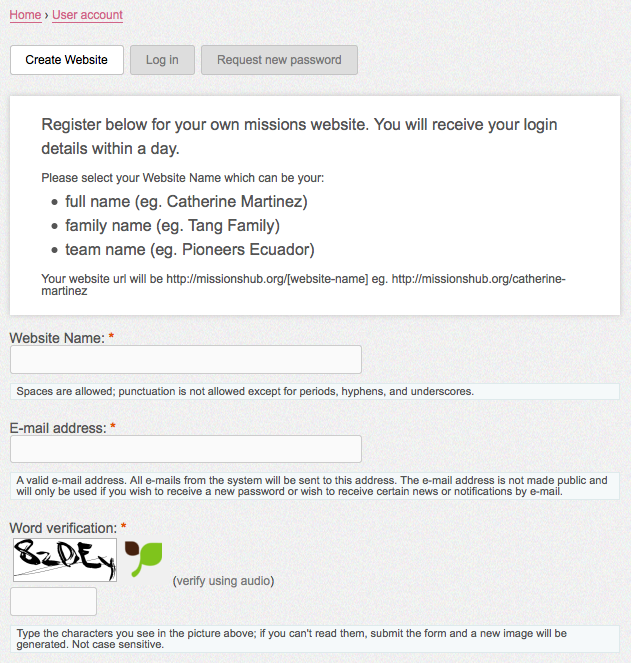
To begin a site on MissionsHub.org the first step will be to provide some basic information and register. This will create a new blog for you to get started. To register follow these steps:
- First click on the “Register” button at the top of the MissionsHub.org page.
- Fill in the form with the a name for your website: this can be your full name, family name or team name. Add your email address to receive messages from the site. At the bottom there is a word verification: type the letters you read into the entry box.
- Click on the “Create Website” button to have your website created.