Writing a Blog Post
Blog posts are created in the following manner:
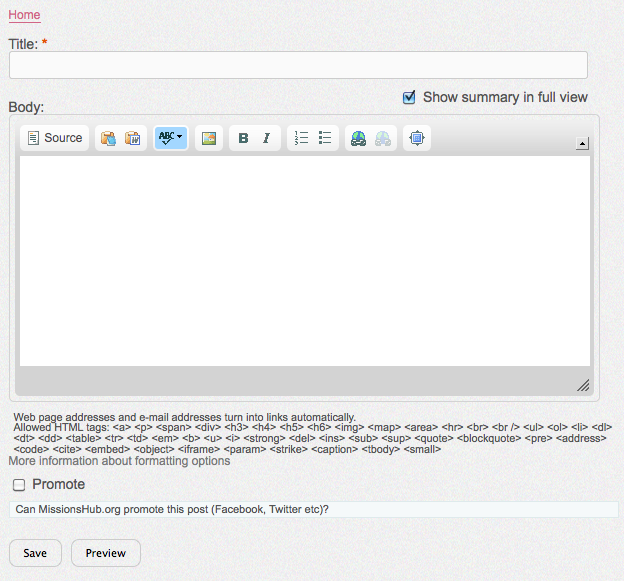
- Enter a title for the blog post. The headline should be written so that it draws in people to read it. It should also be descriptive to allow it to stand on its own.
- Write your entry in the large text box. You can also copy and paste into the text box if you wrote your entry in another program. There is a toolbar for formatting and pasting in text and adding images.
- Check the “Promote” box to allow for the post to be promoted by Mission.org on Facebook and Twitter.
- When you have finished writing save the post to have it posted to your blog. You can also “Preview” the post to check it over prior to saving.
-
Click on “Save” when you are finished writing and have it posted on your blog.
Toolbar Functions
The toolbar has the following functions:
- Source: entering If you are familiar with HTML code you can view the source code of what you are entering.
- Paste as text: this is useful to paste in your simple text from another application without bringing across formatting.
- Copy from Work: Write your document in Word and copy and paste it here.
- Spell check
- Image: Add photos and images
- B: make text bold
- I: italicize text
- Numbered list
- Bullet list
- Link: create or edit a link
- Unlink: remove an existing link
- Full Screen: makes it easier to edit your blog
Adding Photos
Photos are very important for a blog post. Read how to add Photos.